
Most balloon businesses run on the same stack: a notes app for quantities, a spreadsheet that started as someone else's spreadsheet, Instagram DMs for the actual conversation, a separate invoicing tool, and a mental list of who still owes a deposit. It works until you are running four events in a weekend.
BalloonFlow AI puts the business half in the same app as the design half, on the phone you already have in your apron.
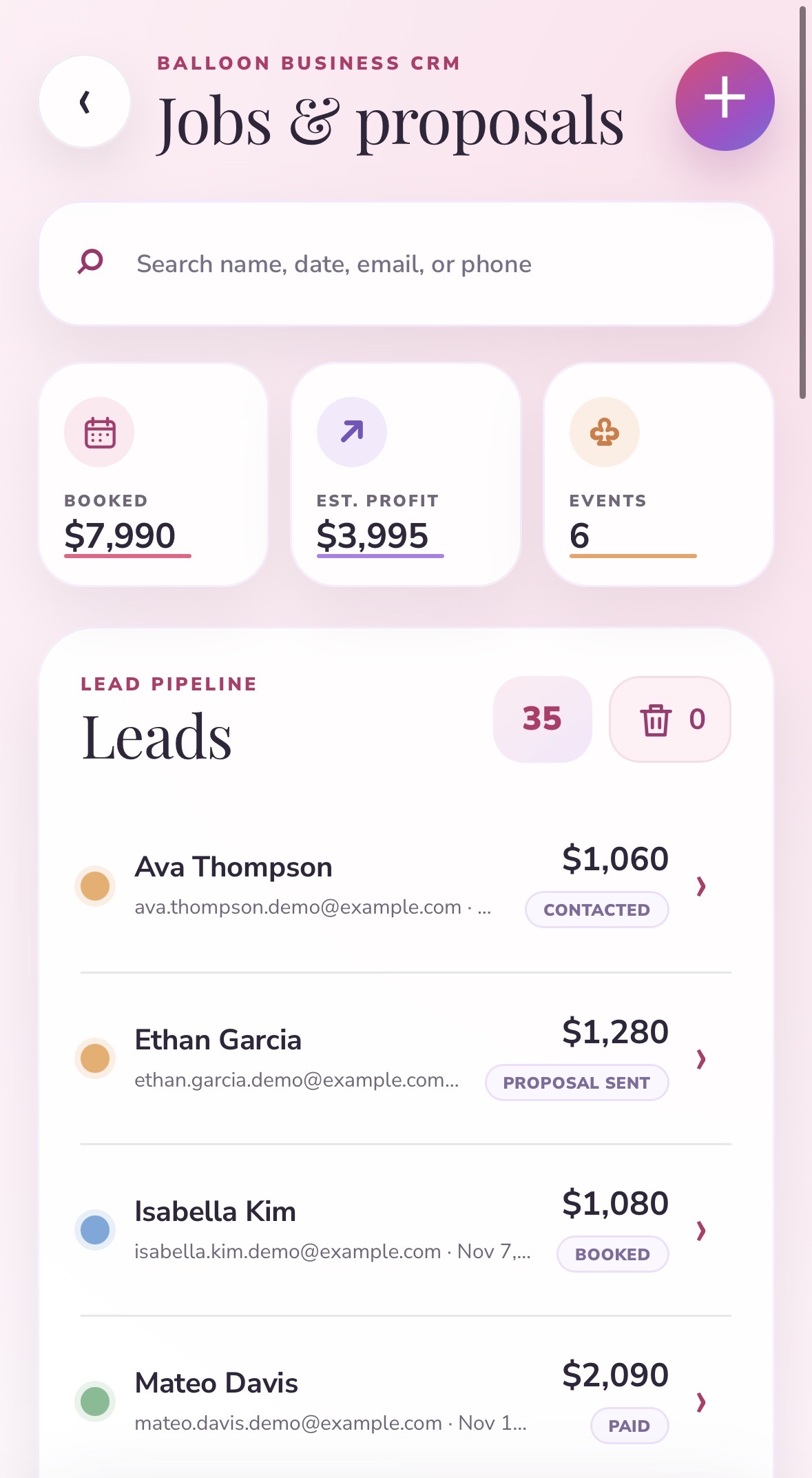
From first message to final installation
Leads and the booking calendar
Every enquiry becomes a lead with the event date, the venue, the colors and the conversation attached to it. The booking calendar shows what is actually confirmed for a given weekend, which is the number that decides whether you can say yes to one more job.
Quantity, cost and profit planning
Work out how many balloons a design needs, what they cost you, and what the job leaves you with before you send a price. This is the step most balloon businesses skip, and it is the reason a fully booked month can still end up thin. Planning the profit at quote time is a different exercise from adding up receipts afterwards.
Branded proposals and contracts
Send a proposal with your own branding rather than a number typed into a DM. Clients sign electronically, so the terms are agreed in writing before you order a single balloon. That matters most on the jobs that go sideways, which are never the ones you expect.
Square deposits and balances
Once a proposal is signed, the deposit step is prepared for the client. They press the payment button themselves and the money goes directly through your own connected Square account, recorded against that lead.
BalloonFlow never charges your customer. Payments run through your Square account, and the client has to actively press the secure payment button. The app does not take a cut of your job and does not charge a customer automatically.
Reports
Revenue, profit and booking trends for a balloon business specifically, rather than a generic small business dashboard you have to reinterpret.
What it replaces
| The usual way | In BalloonFlow |
|---|---|
| Enquiries buried in Instagram DMs | Leads with event date, venue and colors attached |
| Quantities guessed or worked out on paper | Quantity, cost and profit planning before you quote |
| A price typed into a message | A branded proposal the client signs electronically |
| Chasing a deposit by text | A payment step prepared through your own Square account |
| Working out the year at tax time | Reports as jobs are booked and completed |
Designed for the person doing both jobs
The reason the design tools and the business tools live in one app is that in a balloon business they are the same job. The palette you agreed with the client determines the order. The quantities determine the price. The price determines whether the weekend was worth it.
So the same app that scores your garland, matches your colors and builds the client mockup is the one holding the quote and the contract. If you want the design side specifically, that is covered on the balloon color matcher page and on the features section of the home page.
What it is not
- It is not accounting software. It reports on your jobs; it does not file anything or replace your bookkeeper.
- It does not replace legal, tax, insurance, venue, rigging or installation-safety advice. Confirm venue measurements, manufacturer quantities and installation requirements before you build.
- It is an iPhone app. It also runs on Macs with Apple silicon, but there is no Android version right now and no web dashboard.
What it costs
BalloonFlow AI is free to download. BalloonFlow Pro is one membership at $29.99 a month, starting with a 7-day free trial for eligible new subscribers. The Jobs and Proposals workspace described on this page is part of Pro, along with the AI design tools, unlimited saved designs and full Community access. It renews automatically until you cancel, and canceling at least 24 hours before the trial ends avoids the first charge.
Common questions
Does BalloonFlow charge my customers?
No. Customer deposits and balances are paid through the balloon business's own connected Square account, and the customer has to actively press the secure payment button. The app never charges a customer automatically.
Do I need my own Square account?
Yes. You connect your own Square account, and payments go directly through it. Once a proposal is signed, the deposit step is prepared for the client, and when they choose to pay, the payment is recorded under that lead.
Can clients sign contracts in the app?
Yes. You can send branded proposals and contracts, and clients sign them electronically, so the terms are agreed in writing before you start ordering.
Can I work out my profit before I send a quote?
Yes. BalloonFlow includes balloon quantity, cost and profit planning, so you can see what a job leaves you with at quote time rather than working it out after the event.
Is there an Android version or a web dashboard?
Not right now. BalloonFlow AI is built for iPhone, and it also runs on Macs with Apple silicon. Android availability will depend on demand.
What does it cost?
The app is free to download on the App Store. BalloonFlow Pro is $29.99 a month with a 7-day free trial for eligible new subscribers, auto-renewing until you cancel. Apple manages billing, cancellation and restoration, and the app includes a Restore Purchases option.
Does it replace an accountant or a professional contract review?
No. BalloonFlow helps with creative and business planning but does not replace legal, tax, insurance, venue, rigging or installation-safety advice. Confirm venue measurements, manufacturer quantities and installation requirements before you build.